

Introducing the New Pentrace.ink
By the Pentrace Team
Pentrace is back, with more than 800 pages from over two decades of the fountain pen community and new ways to find them. Here's how the site works, on a computer and on a phone.
When we lost our friend Giovanni Abrate, we lost the admin access and passwords to the old site along with him. For a long time, Pentrace existed only as scattered memories and whatever the Wayback Machine had managed to preserve. Thanks to Len Provisor's push to bring it back, Pentrace is now living again at a new home — Pentrace.ink — and it's carrying its full history with it.
The front page
The home page is laid out like a newspaper’s front page, and it moves on by itself through the week. Click or tap any of the pictures on this page to see it full size.
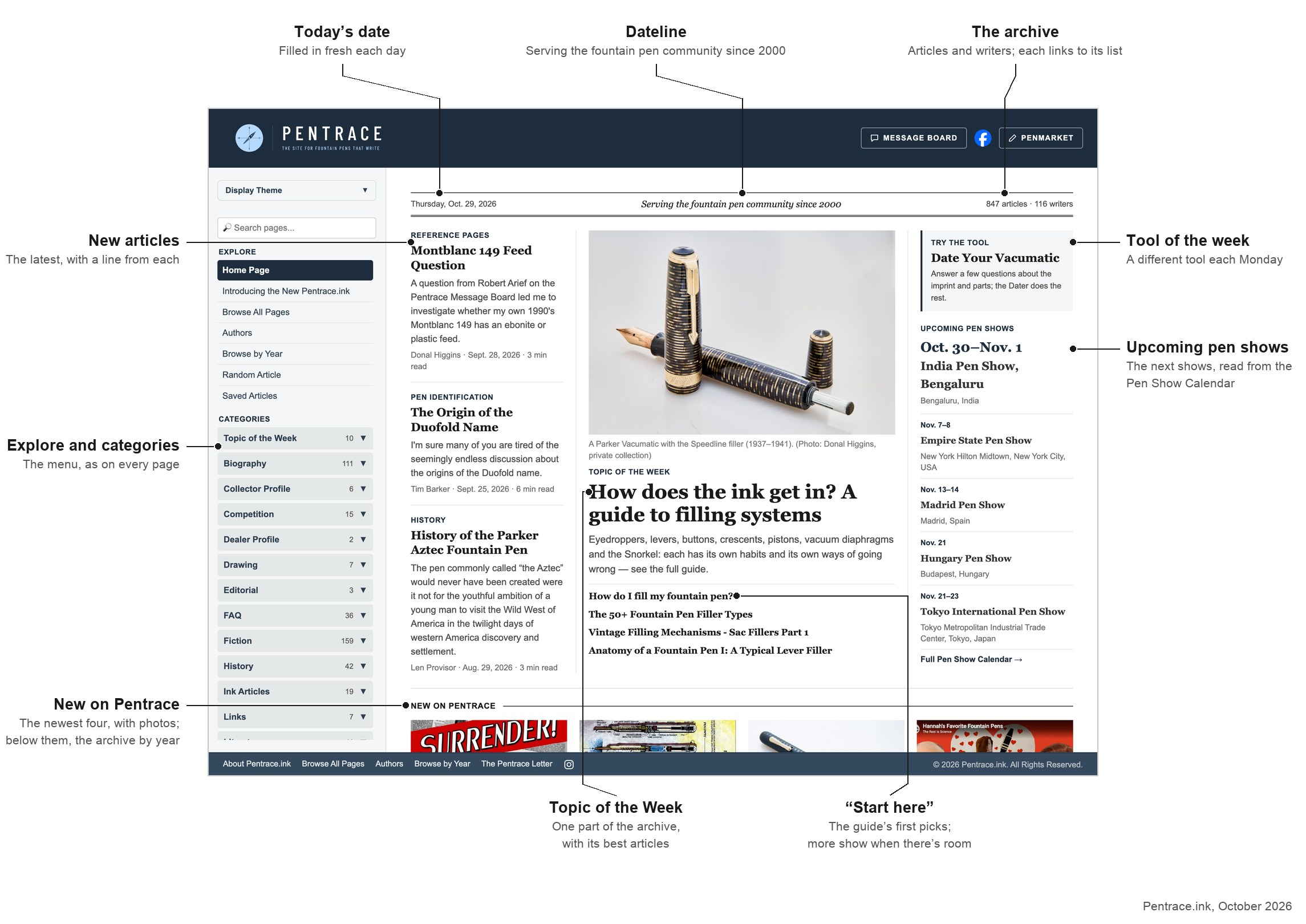
The front page on a computer, in a week when the Topic of the Week is filling systems.
Across the top, the dateline gives today’s date and the size of the archive: click the number of articles to see every page, or the number of writers to see who they are. Under it are three columns. In the middle is the Topic of the Week, a different part of the archive each week, with a guide to everything on the subject and a few articles to start with. On the left are the newest articles, each with a line from its summary, and on the right a tool of the week, such as the Vacumatic Dater, and the next shows from the Pen Show Calendar. When there’s a seasonal run of stories, such as Seven Nights to Halloween, it appears under the Topic of the Week, with tonight’s story marked.
Further down, New on Pentrace shows the four newest articles, each with a photo and a line from its summary. The Archive charts how many articles were published each year (click it to read any year month by month) beside three pages from this month in years gone by, which change at the start of every month. At the foot are the sign-up for the Pentrace Letter and links to the Message Board, PenMarket, our Facebook group and Instagram. On an iPad the Topic of the Week runs across the top with the other two columns under it, and on a phone the front page is a single column.
Reading an article
Every article has the same layout. The header across the top links to the Pentrace Message Board, our Facebook group and PenMarket, and the logo always brings you back to the home page. The menu runs down the left, and the article fills the rest of the page.
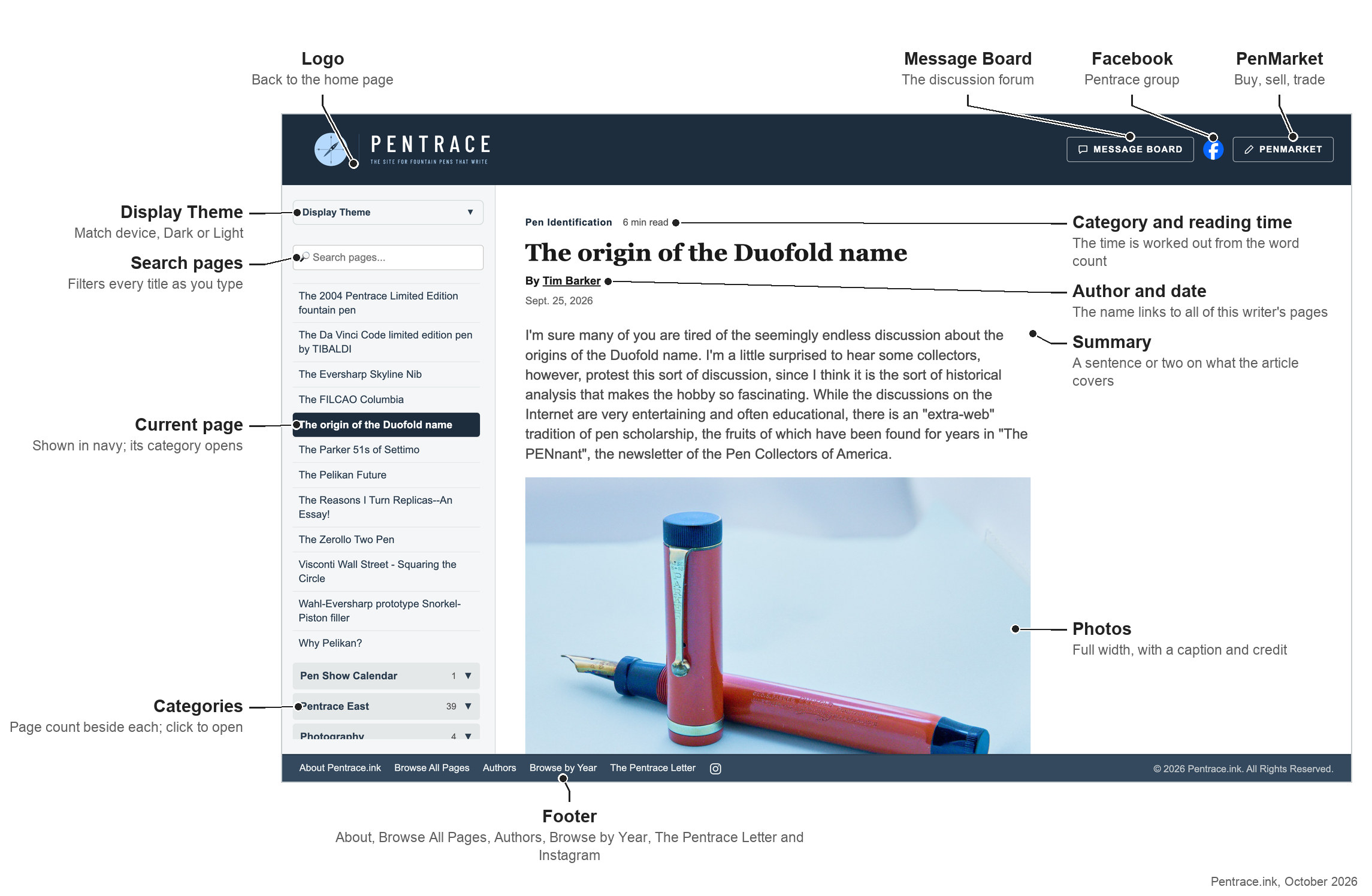
An article on a computer. The page you're reading is highlighted in navy in the menu, and its category opens beside it.
Above each headline you'll see the article's category and roughly how long it takes to read, with two buttons beside them: Save, which keeps the article in your Saved Articles list, and Share, which sends a link to it by message, email or social media. Under the headline is the author, whose name links to everything they've written for Pentrace, and the date it was first published. Many articles open with a short summary in grey.
Finding things
There are two ways to search:
- Search pages, the box at the top of the menu, filters the menu by title as you type. Clear it with the × to get the full menu back.
- Search every article looks for your words inside the pages themselves, not just their titles. Press Enter in the menu's search box, use the link that appears under it, or tap Search on a phone. Results show each page's category and summary, with your words highlighted.
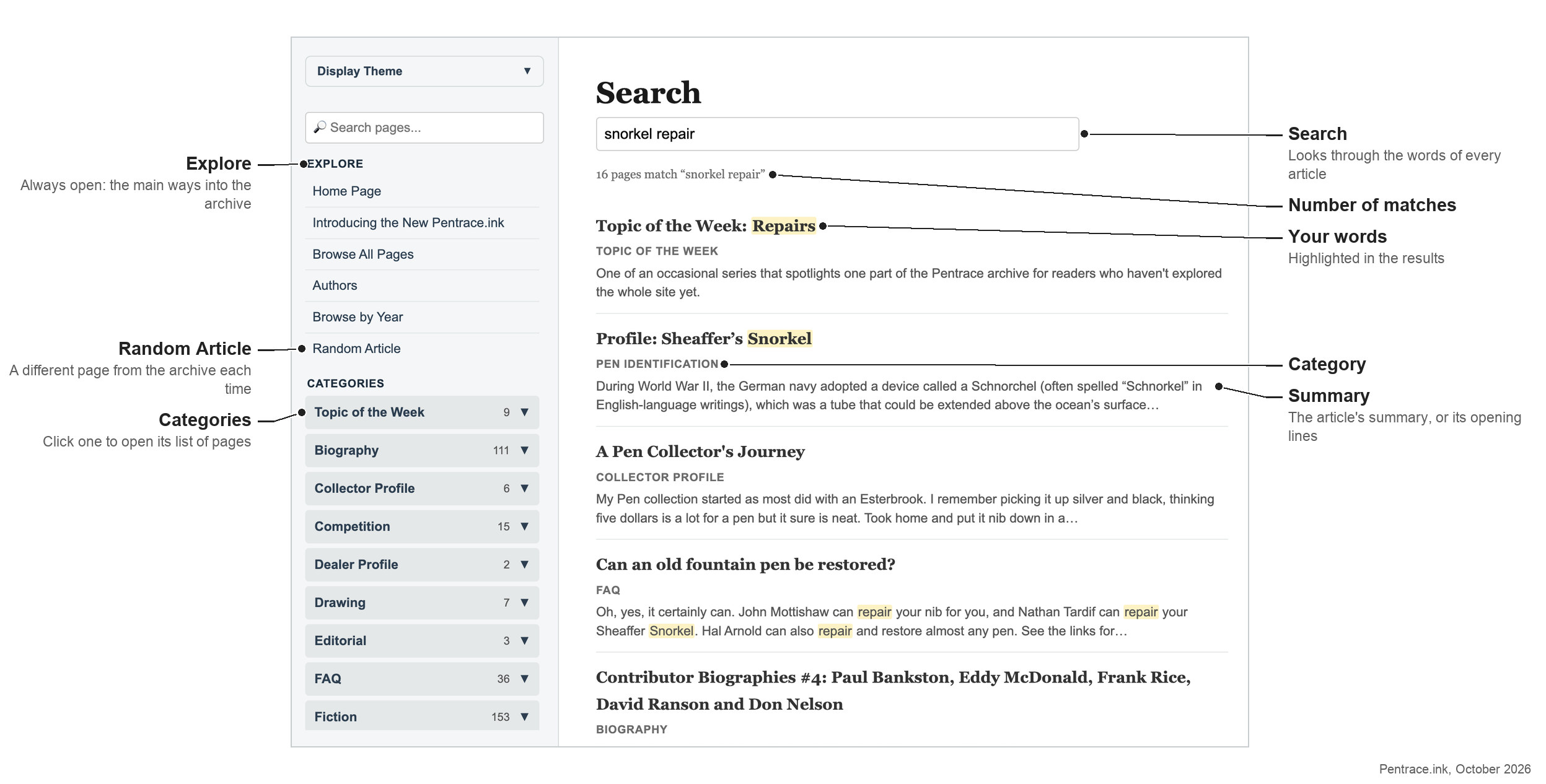
The full-text search, with the Explore list and the categories in the menu.
At the top of the menu, the Explore list is always open. It holds the main ways into the archive:
- Browse All Pages lists every page on the site in one table, with its own filter box.
- Authors lists every writer from A to Z. Each author page lists their articles, newest first.
- Browse by Year groups the articles by the year they were published, from 2000 to today, and then by month.
- Random Article opens a different page from the archive each time.
- Saved Articles lists the articles you’ve saved. They’re kept on your own computer or phone, in that browser, so there’s no account to sign in to.
Below Explore are the categories, from Biography and Fiction to Pen Doctor, Pentrace East and Weekly Serial, each with the number of pages it holds. Click one to open it. The Pen Show Calendar and the Topic of the Week pages, which gather everything the site has on one subject, have their own categories too.
Light or dark
The Display Theme picker at the top of the menu (at the foot of Browse, on a phone) switches the whole site between Light and Dark. Choose Match device and the site follows your phone or computer's own setting. Your choice is remembered next time you visit.
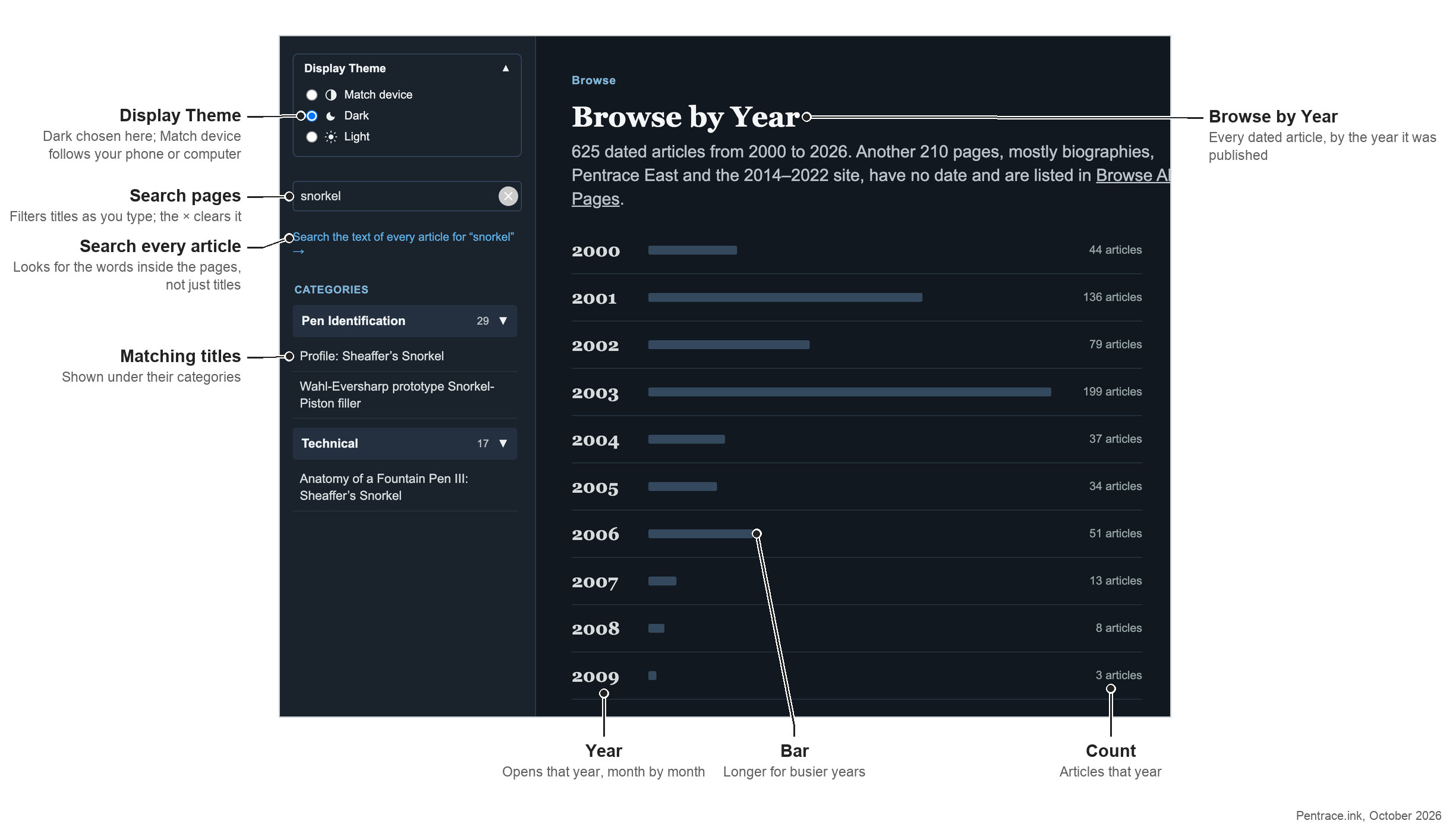
The dark theme, with the menu filtered for “snorkel” and the Browse by Year page open.
At the end of every article
Each article finishes with a row of tools:
- Cite this page gives a ready-made citation, and a template for Wikipedia, each with a Copy button.
- Suggest a correction opens an email to the editors. If you spot a wrong date, a misspelled name or a broken picture, please tell us.
- Edit as a contributor lets Pentrace writers suggest changes to the page. It needs the contributors' password.
- Get the monthly Pentrace Letter signs you up for our free email, with the best of the archive once a month.
- The Instagram icon links to @pentrace.ink.
Under the tools are the article's topic tags, such as Parker or Duofold. Each one opens a list of every page on that subject. Last comes Related: more articles from the same category.
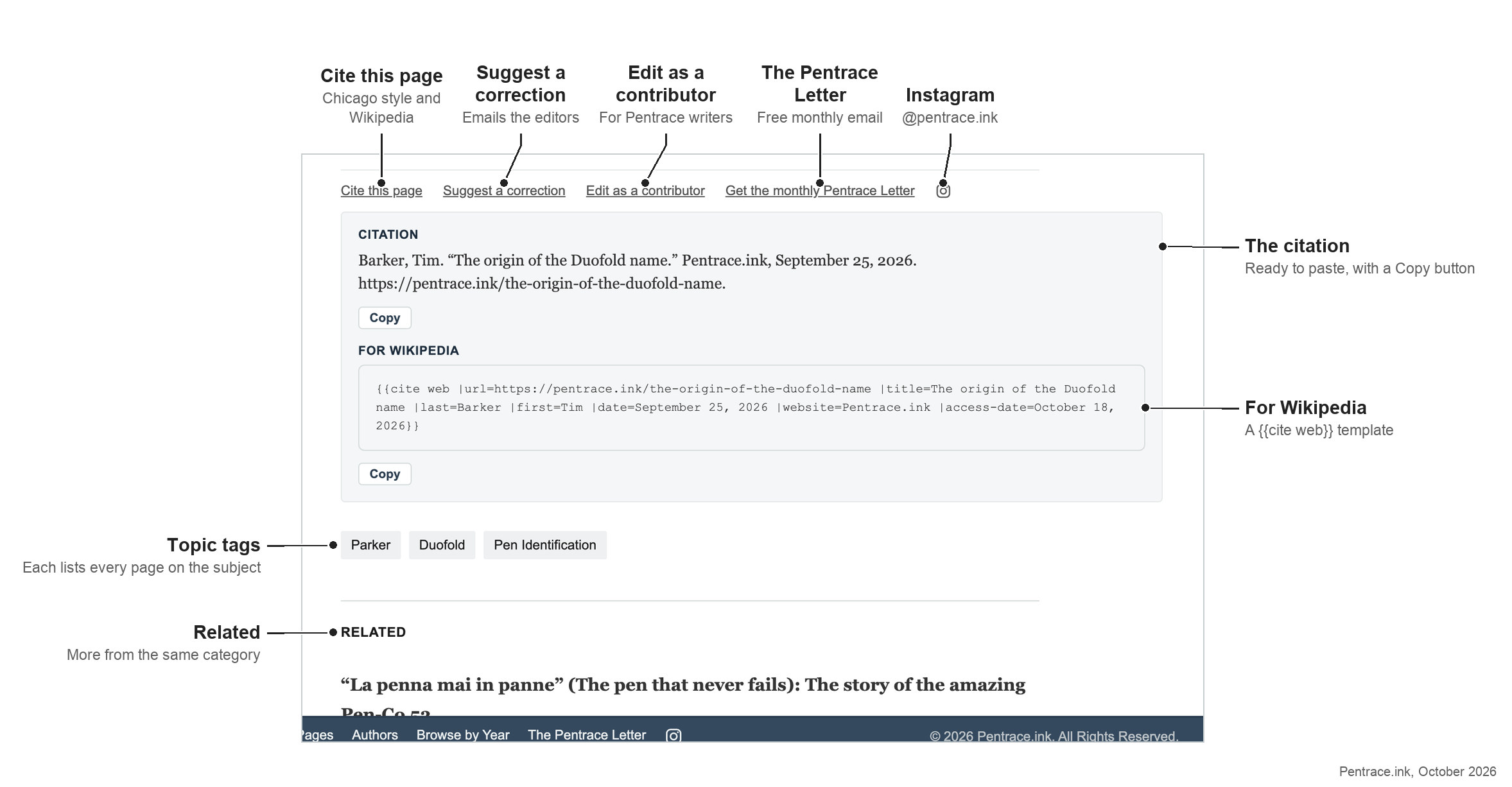
The end of an article, with the citation panel open.
On your phone
On a phone, a bar floats at the bottom of the screen with four buttons. It slides out of the way while you scroll down through an article, and comes back as soon as you scroll up a little.
- Home takes you to the front page.
- Browse opens a page of shortcuts: the Topic of the Week, the Pen Show Calendar, the Vacumatic and Parker 51 Daters and other favorites, the sections you visited last, and every category. Tap a category to see its articles, and tap it again to close it. Authors, Browse All Pages, Random Article and the Display Theme are at the bottom.
- Search searches the text of every article.
- Saved lists the articles you’ve saved with the bookmark button beside each article’s category.
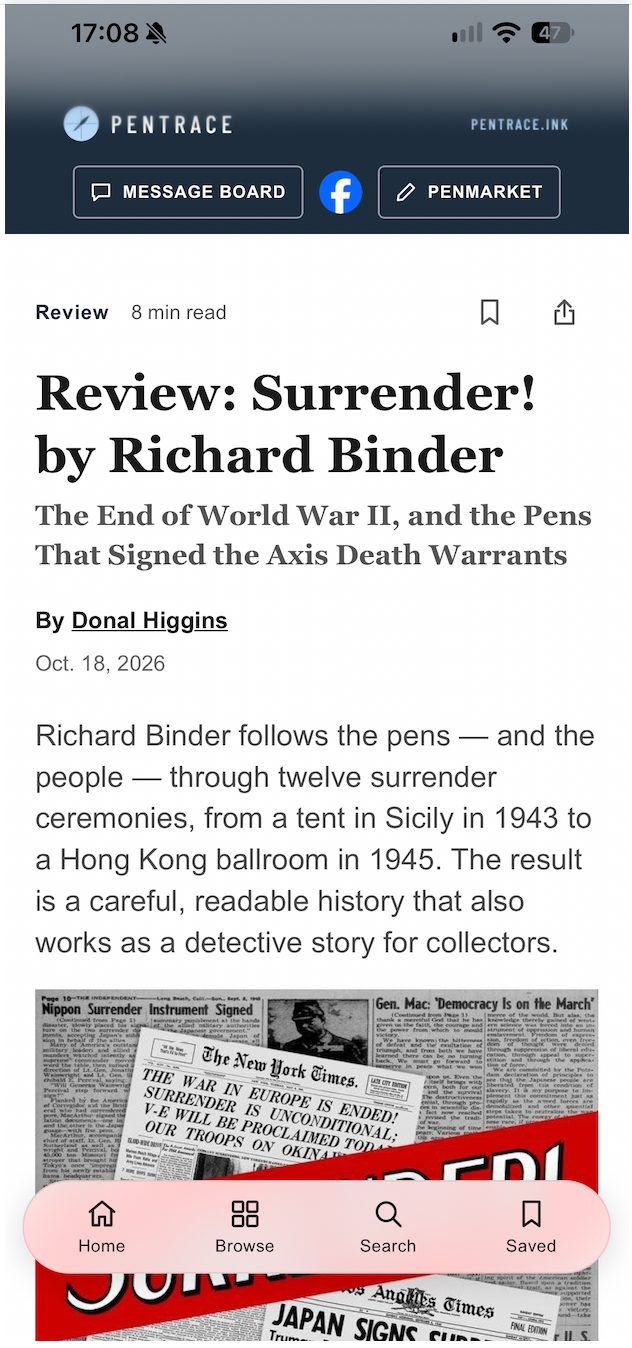

An article with the Save and Share buttons, and the Browse page.
The Share button opens your phone’s own share menu, so you can send an article by Messages, WhatsApp, email or Facebook in a couple of taps.
You can also put Pentrace on your phone’s home screen, where it opens full screen like an app, without the browser’s address bar. It takes three taps and there’s nothing to download: here’s how.
What's in the archive
The old Pentrace was really two sites in one: the public site itself — hundreds of hand-written pages built up over two decades — and PenBase, the article database that powered the "Feature Article" pages readers browsed for reviews, repair guides, fiction, and history. Both had gone quiet. Neither was easy to search.
The new site brings both of them back together in one place:
- Every article we could recover from the old sites — interviews, reviews, the Pentrace East features from Japan, the "Negative Space" serial, ink and repair articles — has been cleaned up and brought over.
- The entire PenBase article database has been restored alongside it, organized the way it always was: by Review, Fiction, Report, FAQ, Pen Doctor, History, and the rest of PenBase's own categories.
- More than 100 writers now have their own author page, and new articles keep arriving from contributors.
It adds up to more than 800 pages of Pentrace history, all in one place and all searchable.
What to expect
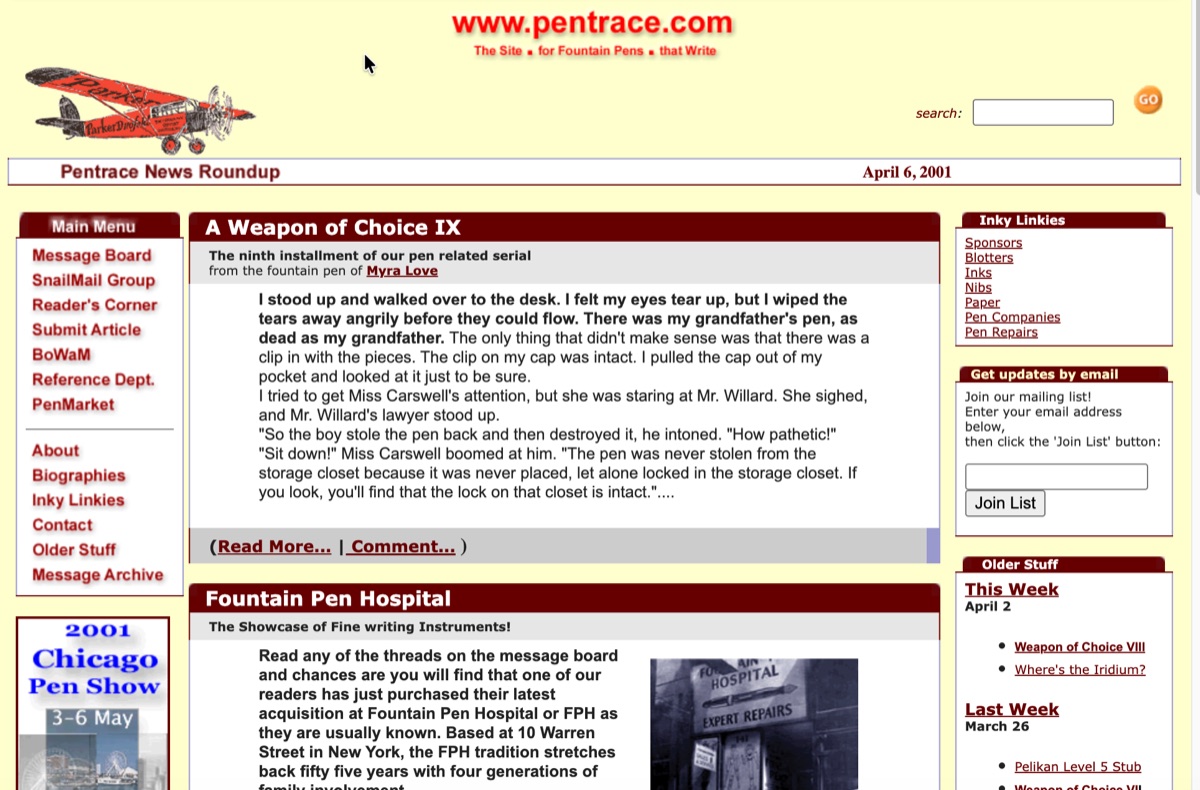
The original Pentrace home page, April 6, 2001.
Much of this is content recovered from a site that was offline for years, converted by hand from old, inconsistent HTML. Some formatting will be rough around the edges here and there, and a handful of old images didn't survive the move. We'd rather have it up imperfectly than not have it up at all — and we'll keep tidying as we go. If you find something that needs fixing, use Suggest a correction at the end of the page.
Welcome back to Pentrace.